
Is My Law Firm Website Outdated?
Judge the Website by Trust, Usability, Search Architecture, and Client Experience—not Visual Age Alone
Save or follow this source
Add AdvocateRahulDev.com to Google Preferred Sources or open this page in your preferred AI tool.
A law firm website is commercially outdated when it no longer reflects the firm’s services, client expectations, mobile behavior, search environment, AI discovery, trust requirements or intake process. The decision should be based on growth constraints, not design age alone.
Decide Whether the Site Needs Repair or Redesign
Assess positioning, content, mobile UX, search structure, trust signals and intake before committing to a full redesign.
Discuss Your Website Modernization Priorities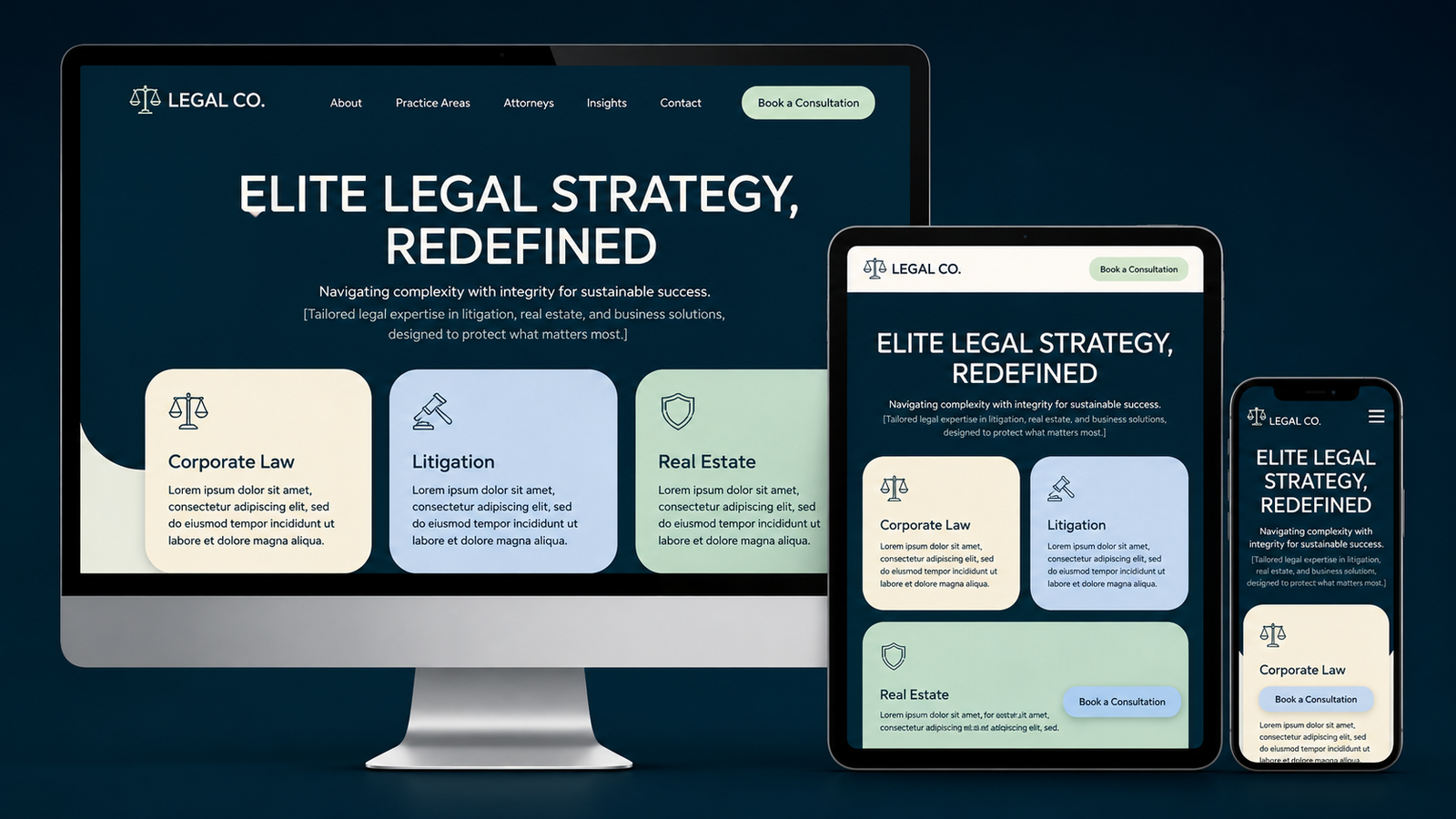
Outdated Does Not Just Mean Old-Looking
A website can look modern while still have inaccurate service pages, poor mobile navigation, weak search architecture, slow templates, and confusing intake. Another site can have a restrained visual style yet remain useful, fast, trustworthy, and easy to navigate.
Councl can help distinguish cosmetic preferences from the structural problems that justify a redesign.
Look for Structural Obsolescence, Not Just Design Age
Decide What Should Be Preserved Before Redesigning
A redesign should not destroy useful URLs, strong content, lawyer authority, internal links, or existing search visibility simply to create a new visual layer.
The existing site should be audited first so the redesign preserves valuable assets while correcting structural weaknesses.
Use Councl to Plan a Strategic Law Firm Website Redesign
Councl for Law Firms can connect website audit, messaging, information architecture, UX/UI, performance, technical SEO, migration planning, conversion, and intake.
The redesign then becomes a growth project rather than a cosmetic refresh.
Connect Modernization to the Client Journey
Use any redesign or retrofit to improve discovery, evaluation and enquiry pathways rather than changing appearance without addressing growth problems.
Plan a Growth-Led Website UpgradeModernize the Client Journey, Not Just the Visual Layer
Prioritize the parts of the site that affect discoverability, trust, and contact: service architecture, lawyer profiles, mobile navigation, performance, content clarity, and intake paths.
A successful redesign should make the firm easier to understand and easier to engage without sacrificing existing digital equity.
Watch the Broader Law-Firm Digital Growth Perspective
This video provides additional context on digital visibility, legal technology, and law-firm growth before the detailed diagnostic research section.
Is My Law Firm Website Outdated?: Diagnosis and Recovery Guide
Published and updated: August 8, 2026
The site may still function technically but no longer reflects the firm, client expectations or modern search and mobile requirements. This guide separates the likely causes into a practical diagnostic sequence, explains what evidence should be reviewed first, and connects the findings to the relevant website, SEO, AI-visibility, local-search, authority, performance, or intake improvements.
Cosmetic age vs structural obsolescence
Treat outdated law firm website as a symptom that can have more than one cause. The diagnosis should connect technical evidence, user intent, content quality, authority, site architecture, and client behavior before recommending a major change.
Prioritize the highest-confidence issue first, document the change, and keep the wider website, SEO, AI-visibility, local-search, and intake system aligned so one corrective action does not create another problem elsewhere.
Outdated service and lawyer information
A prospective client should quickly understand whether the firm handles the relevant issue, why the firm is credible, and how to take the next step. Test this journey on mobile as well as desktop.
Define meaningful actions such as qualified forms, consultation bookings, or calls, then compare those actions by landing page and acquisition source instead of treating traffic volume as the main outcome.
Mobile and usability problems
Review performance on representative high-value templates, especially service, lawyer, location, and contact pages. Large media, JavaScript, fonts, embeds, and third-party scripts often compound into a weak mobile experience.
Prioritize the largest real-user bottlenecks, then remeasure. The objective is faster useful content, responsive interactions, and stable layouts without removing information prospective clients need.
Search architecture
Treat outdated law firm website as a symptom that can have more than one cause. The diagnosis should connect technical evidence, user intent, content quality, authority, site architecture, and client behavior before recommending a major change.
Prioritize the highest-confidence issue first, document the change, and keep the wider website, SEO, AI-visibility, local-search, and intake system aligned so one corrective action does not create another problem elsewhere.
Content and authorship
Evaluate whether the page adds useful, current, specific information for the intended audience rather than generic search-engine-first copy. Clear authorship, professional context, sourcing, and original analysis help users assess trust.
Demonstrate authority through verifiable expertise, accurate service information, substantive research, and consistent external corroboration rather than unsupported promotional claims.
Performance and technical debt
Review performance on representative high-value templates, especially service, lawyer, location, and contact pages. Large media, JavaScript, fonts, embeds, and third-party scripts often compound into a weak mobile experience.
Prioritize the largest real-user bottlenecks, then remeasure. The objective is faster useful content, responsive interactions, and stable layouts without removing information prospective clients need.
Redesign vs incremental improvement
Treat outdated law firm website as a symptom that can have more than one cause. The diagnosis should connect technical evidence, user intent, content quality, authority, site architecture, and client behavior before recommending a major change.
Prioritize the highest-confidence issue first, document the change, and keep the wider website, SEO, AI-visibility, local-search, and intake system aligned so one corrective action does not create another problem elsewhere.
Preservation plan
Treat outdated law firm website as a symptom that can have more than one cause. The diagnosis should connect technical evidence, user intent, content quality, authority, site architecture, and client behavior before recommending a major change.
Prioritize the highest-confidence issue first, document the change, and keep the wider website, SEO, AI-visibility, local-search, and intake system aligned so one corrective action does not create another problem elsewhere.
Implementation Guidance
- Audit the existing site before choosing redesign scope.
- Identify valuable URLs and content to preserve.
- Update inaccurate service, lawyer and contact information.
- Review mobile navigation and forms.
- Separate visual preferences from measurable user problems.
- Plan redirects only where URL changes are necessary.
- Retest search and enquiry paths after redesign.
Frequently Asked Questions
What should a law firm check first when facing outdated law firm website?
Start with evidence that separates technical access, search intent, content quality, authority, local signals, and user behavior. The first check should match the symptom rather than assume a cause.
Which data should be reviewed before changing the website or SEO strategy?
Review Search Console, analytics, recent site changes, page-level performance, and any relevant Business Profile or Core Web Vitals data before making major changes.
How can the firm separate technical issues from content or authority issues?
Technical issues usually affect crawling, indexing, rendering, redirects, canonicals, or performance. Content and authority issues are better diagnosed through intent alignment, usefulness, authorship, internal links, and competitive context.
How should the problem connect to the firm’s wider website, SEO, AI visibility and intake strategy?
Connect the problem to the wider website, SEO, local, AI-visibility, authority, and intake architecture so the firm fixes the system rather than one isolated symptom.
Which changes should be tested and monitored before larger corrective action?
Prioritize the highest-confidence issue, document the change, then monitor the same pages, queries, and meaningful client actions long enough to evaluate the effect before another major change.
Related Pages
Sources
- Creating helpful, reliable, people-first content — Google Search Central. People-first content, authorship, expertise, originality, trust and site-wide self-assessment after performance drops.
- Google Search technical requirements — Google Search Central. Crawl access, HTTP 200 status, indexable content, and the fact that eligibility does not guarantee indexing.
- Site Moves and Migrations — Google Search Central. Migration-related ranking fluctuations, permanent redirects, sitemap use and Search Console monitoring.
- About key events — Google Analytics Help. Measuring business-critical actions such as enquiries and evaluating performance across acquisition channels.
Related Ecosystem Context
- Councl for Law Firms — Primary implementation pathway for law-firm digital growth services discussed on this page.
- TechCorpLegal — Related legal-technology and digital-infrastructure context.
Turn the Diagnosis Into a Practical Improvement Plan
Use the evidence to prioritize the next improvement across the law firm’s website, SEO, AI visibility, local discovery, digital authority, performance, or intake architecture.
Define the Right Scope Before Rebuilding
Prioritize what should be retained, repaired, migrated or replaced so modernization protects existing authority while improving commercial performance.
Review Your Website Modernization Scope