
Build Legal Workflow Tools with Codex and Keep People in Control
Explore how legal and technical teams can develop internal tools, test them safely and review changes before anyone relies on them.
Save or follow this source
Add AdvocateRahulDev.com to Google Preferred Sources or open this page in your preferred AI tool.
- Describe a tool in terms of a real legal task
- Review code changes and source access
- Test errors before a workflow reaches live matters
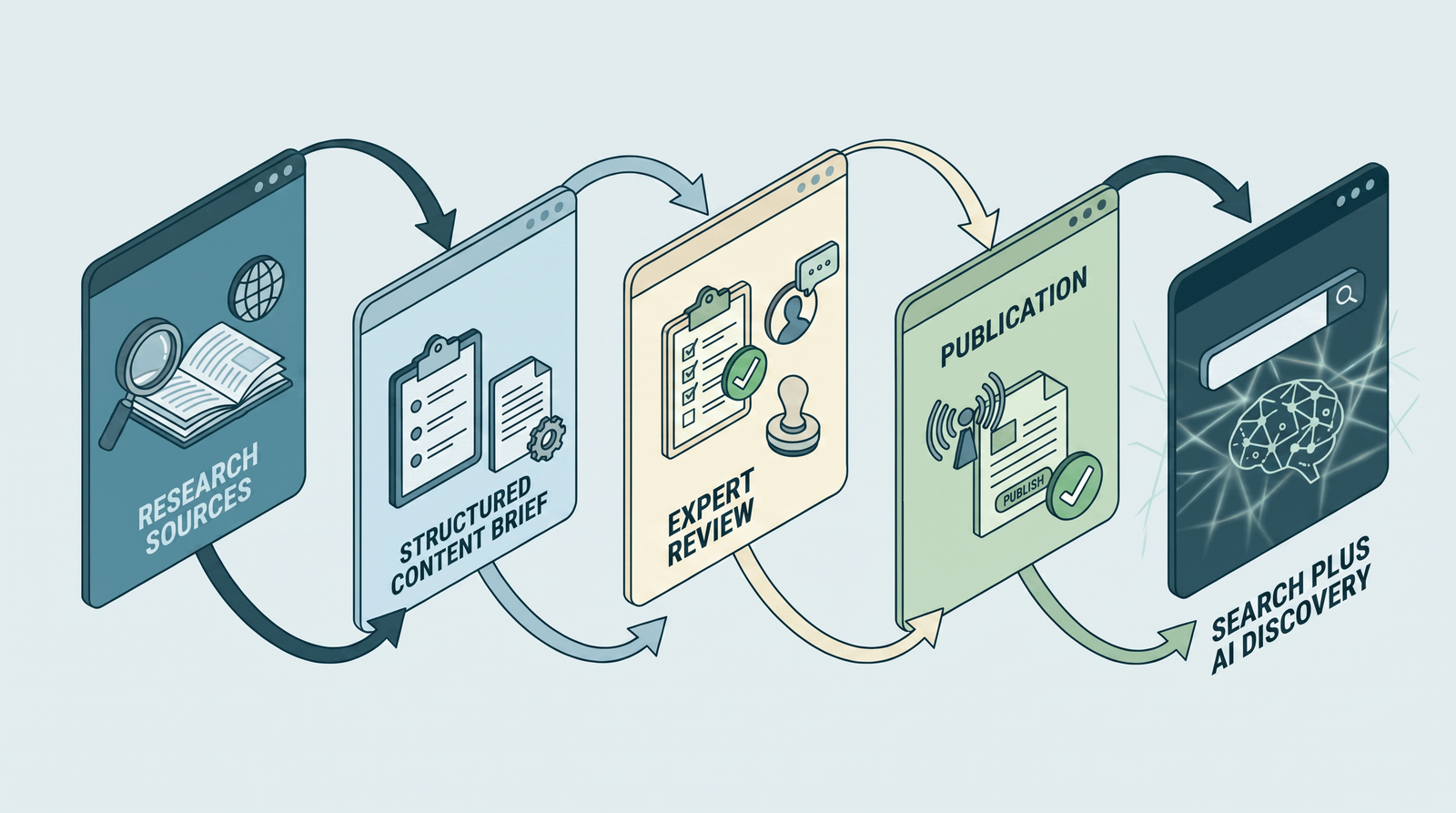
Would This Approach Fit Your Firm?
Bring one task, its relevant documents and the approvals your team requires. A discussion should establish what can be evaluated and what requires professional verification.
Discuss a Legal Workflow ToolWhat Would You Like to Make Easier?
Explore how legal and technical teams can develop internal tools, test them safely and review changes before anyone relies on them. This guide focuses specifically on Use of coding agents to create, test and maintain legal workflow software rather than legal research or chat assistance. The research is independent and does not imply vendor endorsement, client case studies or a completed integration by the publisher.
What Should Your Team Check First?
Choose the real task
Identify the work, the authorized information and the person accountable for the output.
Check tools and rules
Confirm product access, source boundaries, professional obligations and required permissions.
Review before use
Test a small example, inspect sources and record the circumstances for approval or escalation.
Plan a Small, Supervised First Step
Use approved examples, test difficult cases and decide who must check the result before any wider rollout.
Discuss a Legal Workflow ToolTechnology and Legal Practice: An Overview
This approved video gives general context. The specific product and professional requirements are addressed in the cited guide below.
Codex for Legal Teams: Build and Test Internal Legal Workflows: Independent Research Guide
Author: Dr. Rahul Dev: PhD Data Scientist, Technology Law & Patent Attorney, and AI Educator with 20+ years advising global CEOs and CXOs on tech, business, and legal innovation. Author profile · Contact
Research reviewed: 29 October 2026 · Product and regulatory details require rechecking before implementation.
Direct answer
Evaluate Codex for Legal Teams: Build and Test Internal Legal Workflows by identifying a clearly bounded legal task, its authoritative sources, information restrictions and responsible human reviewer. Vendor documentation explains possible features, not proven suitability in your firm. Test realistic examples and document uncertainty before relying on any output.
- What legal teams could build, and why that is different from chat
- Begin with an approval-ready workflow specification
- Use isolated development environments and restricted data
- Make repository access and changes reviewable
- Design tests for legal workflow edge cases
- Separate data retrieval from acting on records
- Plan maintenance rather than a one-off prototype
- When a coding agent is unsuitable
- Professional and jurisdictional boundaries
What legal teams could build, and why that is different from chat
Codex is a software-development agent, not an authoritative source of legal advice. OpenAI describes coding workflows that can inspect projects, suggest changes and run tests under configured environments. A legal team might use such an agent to develop a document intake checker, a matter-status interface or a tool that validates a structured research checklist. The useful product is the supervised application the firm decides to maintain, not the mere generation of code. Define the user, data input, allowed action, review step and fallback before opening an implementation project. For example, a triage tool that flags missing fields is different from a system that decides legal merits; the latter requires a much more demanding professional and technical control model. Source context: OpenAI, Introducing the Codex app (2 February 2026).
Begin with an approval-ready workflow specification
Write a short specification that identifies the problem, current process, expected inputs, permitted outputs, staff roles and exceptions. Include an example of an ordinary case and a deliberately difficult one. A legal operations leader should approve the intended behavior, while a technical reviewer checks feasibility and system boundaries. If the document is vague, a coding agent may implement an interpretation that looks plausible but changes the decision that staff expected. Define the conditions that must trigger human review, such as a missing jurisdiction, inconsistent client identifier or failed source retrieval. A task specification is a separate deliverable from any code produced; it makes testing possible and helps prevent scope drift. Source context: OpenAI Help Center, Using Codex Cloud.
Use isolated development environments and restricted data
Development agents operate within the access granted to their environment. OpenAI's Codex documentation describes isolated working environments and configurable restrictions, while developer security guidance recommends limiting network access and protecting credentials. Use synthetic or approved sample data in the initial build. Keep real client secrets, privileged files and production credentials out of prompts and test repositories unless explicitly authorized and protected. Review which tools and services the agent can call, whether it can reach the internet and what changes it may make. A sandbox reduces exposure but does not prove that generated code is secure, correct or fit for a firm's legal obligations. Security boundaries need deliberate configuration and tests. Source context: OpenAI Developers, Sandbox security.
Make repository access and changes reviewable
Treat every generated change as a proposal rather than an approved update. Use version control, separate development branches, code review and traceable acceptance criteria. OpenAI's Codex app material describes diff review and parallel agent work, but a law firm still needs its own sign-off rules for changes touching sensitive processes. Require a reviewer to inspect configuration files, dependency changes, authentication logic, logging and any external integrations, not only the screen that an end user sees. Verify that the resulting tool actually follows the documented specification. When a new release affects how legal inputs are processed, keep a record of the approving lawyer or accountable operations owner and the tested software version.
Design tests for legal workflow edge cases
A legal tool can perform well on clean sample data while failing on common practice conditions: scanned pages, missing signature blocks, wrong matter identifiers, duplicate filenames, unsupported jurisdictions or records with different confidentiality levels. Build a test suite that includes valid inputs, invalid inputs, incomplete records and deliberate attempts to access forbidden information. Check whether the tool stops, alerts a reviewer and preserves traceability. For tasks that involve source documents, include a test to confirm each output can be traced back to its proper source and version. Measure defects and manual corrections without presenting results as universal accuracy scores. The objective is a reproducible process that reveals failure modes before it is used on live matters. Source context: OpenAI, AI for law firms.
Separate data retrieval from acting on records
An internal tool may need to read matter information, create a draft or update a system. These actions should have different permissions and approval procedures. Map every integration to its owner, authentication process, allowed actions and failure behavior. An application that summarizes public regulations should not automatically have the power to email clients or modify a case-management record. Use test identities with realistic permissions, record denial behavior and require confirmation for sensitive actions. Where third-party systems are involved, inspect their own policies rather than assuming the coding agent can bypass them. The final design should provide a visible stop mechanism and avoid silently completing high-consequence changes when context is missing.
Plan maintenance rather than a one-off prototype
Once a tool works in a demonstration, the organization must decide who owns it. Assign responsibility for dependency updates, credentials, incident reports, user access, documentation and rollback. A developer leaving the team should not leave behind an undocumented automation with privileged access to client records. Schedule reviews when external APIs or source schemas change, and rerun important tests after every material modification. Use a versioned configuration record and keep a short operational guide for non-technical staff. The maintenance plan should state what the tool does not do, which circumstances require a human decision and how a user can report unexpected behavior. Source context: Solicitors Regulation Authority, Misuse of AI warning (17 August 2026).
When a coding agent is unsuitable
Not every legal workflow should be developed as a custom application. A task may already be performed adequately by an approved document management or matter system. A bespoke tool may introduce extra security, operational and maintenance burdens without clear benefit. Compare the proposed build with existing functionality on task coverage, integration needs, permissions, review effort and long-term ownership. If the firm cannot provide a qualified technical reviewer or stable access controls, a coding-agent build may be inappropriate for live legal data. A simple spreadsheet or documented checklist can sometimes support the needed decision more safely. Tool selection should follow the evidence and problem, not the novelty of an agent.
Professional and jurisdictional boundaries
A generated legal workflow is a technical artifact that operates within professional duties. Its code may not understand local legal procedure, privilege or client mandates. The ABA and SRA materials identify duties around professional supervision, confidentiality and accuracy in their respective contexts; other jurisdictions require their own assessment. The firm should obtain appropriate independent review of security, privacy, intellectual property rights and any sector-specific obligations. Codex product descriptions are vendor evidence, not guarantees of safe deployment. Hypothetical examples on this page do not represent tools built for clients by the publisher, tested security certifications or successful outcomes. Keep legal decision authority with qualified people. Source context: OpenAI, Introducing the Codex app (2 February 2026).
Illustrative Quality-Control Scenarios
These are hypothetical exercises for designing a review process. They do not represent verified vendor performance or the publisher's client projects.
Matter intake form validator
A prototype checks whether required intake fields are complete. It stops when a client identifier is inconsistent and sends the case to staff review.
Document version comparator
A tool highlights changes between two approved templates, with the reviewer checking every substantive change against the originals.
Research record checklist
A developer tests a system that flags missing court, date or citation fields; it never declares a legal authority valid by itself.
Which Decision or Guide Fits Your Team?
| User need | Distinct decision | Next source |
|---|---|---|
| ChatGPT for individual lawyers | Drafting assistance and reviewing AI responses | /insights/chatgpt-for-lawyers/ |
| Codex for legal teams | Designing, testing and maintaining applications | This guide |
| Legal engineering advisory | Broader workflow strategy and implementation decisions | /solutions/legal-engineering/ |
These categories reflect editorial search-intent differences, not a performance ranking or claim of affiliation.
Questions to Resolve Before You Act
Can Codex provide legal advice automatically?
Codex is a coding tool. Any legal output requires relevant sources, safeguards and accountable professional review.
May we use real matter files during early development?
Use synthetic or specially authorized samples first; assess security and professional duties before any sensitive data use.
Who should approve code changes?
Qualified technical reviewers and accountable legal workflow owners should each assess changes within their responsibilities.
Primary Sources and Important Limitations
The official source documents explain product capabilities and regulatory concerns within particular scopes. Their existence does not prove user access, compatibility, professional compliance or successful deployment. Search demand and client results are not claimed.
- OpenAI, Introducing the Codex app (2 February 2026) — Agent and sandbox behavior requires independent configuration review.
- OpenAI Help Center, Using Codex Cloud — Cloud environment, repository and credential controls must be checked before use.
- OpenAI Developers, Sandbox security — Development guidance for isolation, network permissions and credential control.
- OpenAI Help Center, Codex Security — Research-preview capabilities and access vary; security findings need technical review.
- OpenAI, AI for law firms — Company positioning and access vary by product; not a substitute for legal verification.
- American Bar Association, Formal Opinion 512 (29 July 2024) — U.S. ethics guidance, application depends on relevant jurisdiction and facts.
- Solicitors Regulation Authority, Misuse of AI warning (17 August 2026) — For SRA-regulated solicitors/firms in England and Wales.
- NIST, AI Risk Management Framework — Generative AI Profile (2024) — Voluntary framework, not a universal legal obligation.
Related Research and Next Decisions
Use these guides to separate individual usage, organization-wide administration, technical development and professional verification decisions.
Discuss Your Next Practical Step
Explain the relevant team, jurisdiction, current systems and uncertainties. Any next action should fit verified capabilities and applicable professional duties.
Discuss a Legal Workflow ToolAbout Dr. Rahul Dev
Dr. Rahul Dev is a PhD Data Scientist, Technology Law and Patent Attorney, AI Educator, and international business advisor with more than 20 years of professional experience. His work spans artificial intelligence, emerging technology, intellectual property, digital growth, technical research, and business strategy. Read the author profile.