
Zapier, Make or n8n: Which Fits Your Law Firm?
Zapier, Make and n8n can all support workflows, but their operating models differ. Compare the kind of task, data access, monitoring and support your firm needs.
Save or follow this source
Add AdvocateRahulDev.com to Google Preferred Sources or open this page in your preferred AI tool.
a way to check connected-app coverage , clarify conditional logic and ai steps , and set sensible controls for hosting and maintenance before adopting a new workflow.
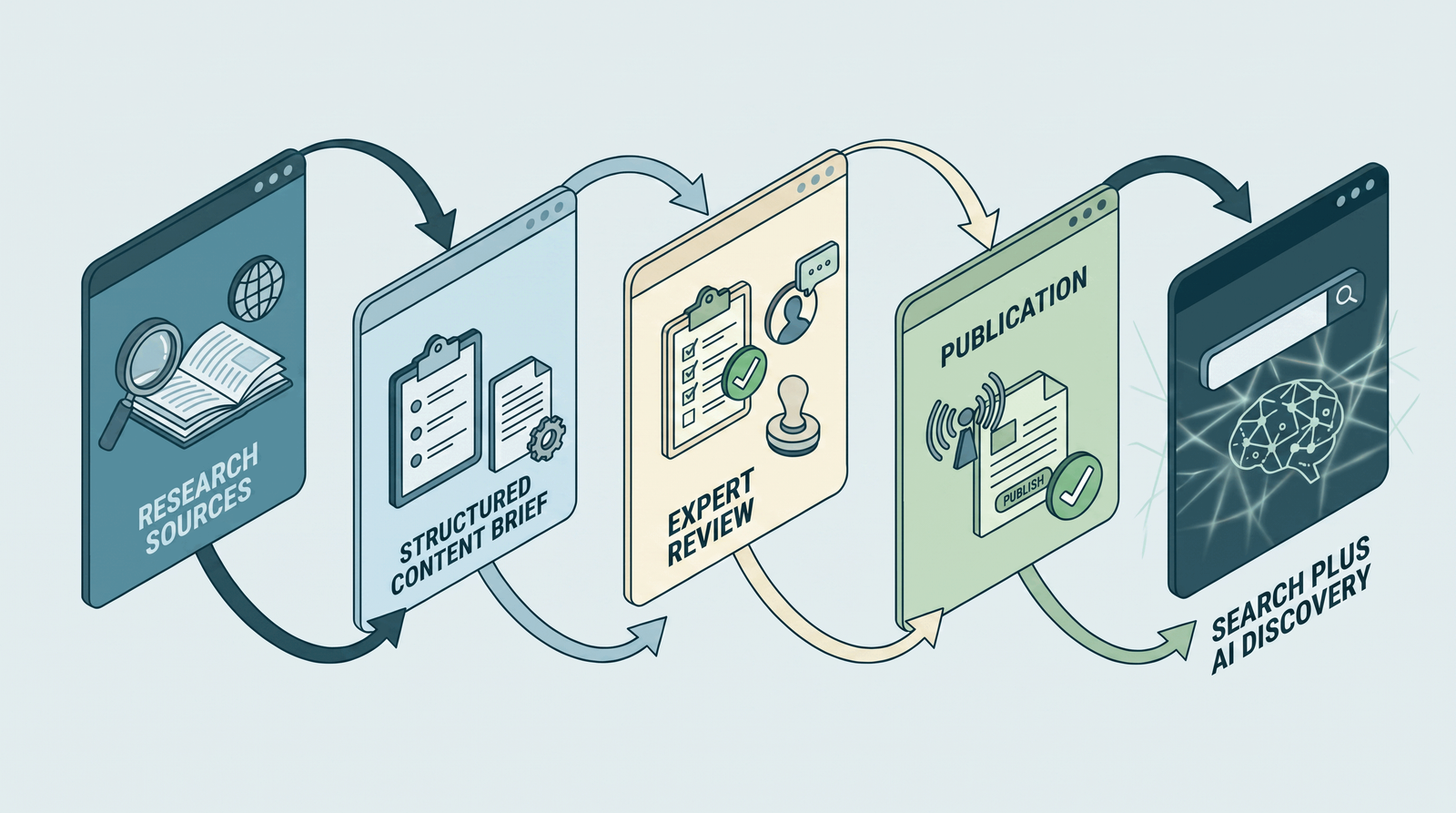
What needs to change?
For a operations manager / marketing lead, the immediate need is to choose a suitable automation platform without assuming one option fits every firm. The immediate questions are practical: What kind of automation does the firm actually need? and What does Zapier currently support after its AI product changes? The process can be assessed by examining connected-app coverage, permissions and approvals and error logs and retries. Avoid buying or connecting another tool while the owner, inputs and escalation route are still unclear.
The research below separates tasks that can be standardized from decisions requiring professional review. It also distinguishes statements supported by official documentation from workflow recommendations that should be tested in the firm’s own environment.
What the improved workflow should do
Today: Connected-app coverage and Conditional logic and AI steps may be discussed without a consistent record. A better working state: the team agrees what to check for permissions and approvals, who controls hosting and maintenance, and how to handle team handover capability. These are possible operating improvements, not promised client, search or efficiency results.
What the review or practical guide includes
Focus: Choose a suitable automation platform without assuming one option fits every firm.
An appropriate scope could begin with a review of connected-app coverage, a comparison of conditional logic and ai steps and permissions and approvals, and a supervised test of error logs and retries. A practical handover would explain how the team records team handover capability. Any integration, training or ongoing operation must be separately specified and approved.
Practical working tool: Feature and governance decision grid for Zapier, Make and n8n; criteria, not rankings.
Additional decision tool: Original decision scenario showing normal, exception, human-review and failure-recovery branches.
Discuss a practical next step for your firm
Use your current workflow, existing software and the people who approve the work to identify an appropriate next step.
Discuss a Small Platform TestApproach and suitability
Begin with the specific reader question: Which Make scenarios or agents are relevant to planned integrations?. Next, document the existing tools, owner and approved information. Use the zapier–make–n8n decision grid to separate an administrative improvement from an action that needs legal or privacy review. A firm may need only a checklist, or it may need a configured, supervised workflow; the evidence should determine which.
What the recommendations are based on
This page relies on the site's approved author profile and on relevant official documentation. It does not claim a new endorsement, certification, software partnership, named client achievement or measured improvement. Vendor descriptions are evidence of what a product advertises or documents—not proof that a feature is available in a particular firm’s account. Applicable legal duties and professional-conduct rules vary by jurisdiction.
How the engagement would work
Discover: record connected-app coverage in the current process. Plan: agree a safe approach to permissions and approvals. Test: use a fictional normal case and one exception involving hosting and maintenance. Review: check team handover capability and decide what the firm should maintain or change. This is an illustrative discussion structure, not a fixed delivery commitment.
Who this is for — and what it does not replace
This page suits a operations manager / marketing lead who can inspect conditional logic and ai steps and appoint an owner for error logs and retries. It does not substitute for a firm-specific legal opinion, professional decision, vendor entitlement review or client confidentiality assessment. If the relevant records or responsible reviewer are unavailable, begin with the assessment rather than enabling a live system.
A useful next step
Bring an anonymized example and a list of the tools already used to address choose a suitable automation platform without assuming one option fits every firm. A consultation can identify one sensible next check and the evidence needed before a pilot. Reading this page does not authorize access to or changes in your systems.
Technology and Legal Practice: An Overview
This overview provides general context. The evidence-linked guide below addresses the specific marketing use case and its limits.
Research and implementation guide
Direct answer. To choose a suitable automation platform without assuming one option fits every firm, start with a defined problem, a trustworthy current-state record and a named reviewer. Compare the operational options using the specific questions below, test exceptional cases before enabling live actions and record limitations. For law firms, confidentiality, accurate public claims and human professional judgment are baseline controls. There is no universal platform or guarantee of improved results.
What kind of automation does the firm actually need?
Page-specific operating recommendation. The first decision is the workflow, not the automation brand. Count connected apps, branching rules, data sensitivity, staff skills, required hosting control, error handling and expected maintenance for a representative process.
What to capture. For connected-app coverage, capture a sample of the work as it really happens and name the person responsible. Record how this connects to conditional logic and ai steps before attempting to simplify it. The objective is not to count tasks indiscriminately; it is to identify the step connected to choose a suitable automation platform without assuming one option fits every firm. One practice team may have a different starting point from another, so the initial record must show the actual local process.
What does Zapier currently support after its AI product changes?
Zapier currently documents migration of standalone Agents into AI by Zapier steps inside regular Zaps. Review the current migration notes, per-tool approvals, history and unsupported features rather than designing around outdated standalone Agents assumptions. Source for the product description: Zapier — Migrating from Agents to AI by Zapier.
How to compare the evidence. When considering conditional logic and ai steps, apply a consistent definition and preserve the original source record. Compare it with permissions and approvals, marking absent or uncertain facts as unresolved. A dated source matters here. Product descriptions, staff recollections and automated logs answer different questions, and they should not be merged into a single unqualified conclusion. Write down what each observation can and cannot prove.
Which Make scenarios or agents are relevant to planned integrations?
Make documents scenarios and webhook-triggered AI agent examples. Compare whether those fit the firm’s integrations and need for explicit branching, data inspection, human approval and operations monitoring. Source for the product description: Make — Webhook-triggered AI agent.
Where risks change the decision. The key risk concerns permissions and approvals. Note the circumstances in which a seemingly successful step introduces a different error, and identify the person allowed to stop the process. A tool that produces a plausible output may still have used the wrong record, outdated rule or impermissible input. The relevant exception must be handled by the firm, rather than suppressed merely because the normal pathway operates.
When do n8n hosting and credential controls matter?
n8n offers automation with hosting and security choices; its documentation includes a security audit for risky nodes, credentials and exposed webhooks. A self-hosted deployment creates administration responsibilities that the firm must be ready to own. Source for the product description: n8n — n8n security audit.
Where people must remain responsible. For hosting and maintenance, specify the reviewer, backup, and exact stopping point. Staff need to inspect the original information and be able to reject an automated suggestion. The firm should make a clear distinction between preparing a draft and taking an external action. A reviewer needs to see the relevant original material, be able to correct the draft and have an unambiguous stop instruction.
How should support, access and error recovery shape selection?
Run the same harmless proof-of-concept on the eligible platforms: an approved form event creates a task, requests review and records completion. Test normal data, duplicates, failure, revoked permissions and recovery.
How to trial it safely. Test error logs and retries with approved or invented inputs. Check ordinary and exceptional outcomes while making sure no real client receives an unapproved communication or decision. When the normal test passes, repeat it with incomplete details, duplicate records or a reviewer who cannot be reached. Inability to recover from these common conditions is a reason to keep the workflow supervised.
What small proof-of-concept can compare them fairly?
Choose by documented fit, not a universal best-of ranking. Record the team’s capability to maintain connections, understand logs, revoke access, change workflows and respond when external APIs change.
How to learn from the result. To assess team handover capability, keep a baseline and a log of mistakes, manual corrections and actions taken. Recheck the assessment after personnel, tool or rules change. Results should be interpreted against changes in staffing, case mix, tool configuration and visitor behavior. One good week or one improved answer is not sufficient evidence that the same result will continue.
Practical decision instrument: Zapier–Make–n8n decision grid
This original zapier–make–n8n decision grid makes the review observable. Fill in the information for connected-app coverage, conditional logic and ai steps and permissions and approvals using approved records. Mark missing evidence explicitly; never let a tool infer a confidential or professional fact from an unrelated field.
| Decision field | Evidence to enter | Human review or control |
|---|---|---|
| Connected-app coverage | What actually happens now? | Name the accountable owner |
| Conditional logic and AI steps | Where does the information come from? | Preserve original evidence and date |
| Permissions and approvals | Who can access or correct this? | Check permission and confidentiality |
| Hosting and maintenance | What exception stops the process? | Test an unsafe or incomplete case |
| Error logs and retries | Who decides the final action? | Require approval for consequential actions |
| Team handover capability | What evidence confirms completion? | Retain a trace and recovery option |
Illustrative fictional scenario. Build an identical synthetic event-registration workflow on each eligible platform. One product may be easier for business staff; another may fit an existing technical team. Record observed operation instead of publishing a universal winner.
How to use the result. Test how hosting and maintenance behaves when a record is incomplete, when the reviewer is absent and when the tool returns an unexpected response. Record team handover capability for both the normal and exception cases. The firm can then decide whether a manual instruction, controlled checklist or supervised pilot is justified. This is not a certified compliance score or vendor-endorsed method.
Page-specific review questions. For this zapier–make–n8n decision grid, ask how the firm verifies connected-app coverage, what source controls permissions and approvals, and who signs off team handover capability. Record one unresolved question before any wider deployment.
Fair-comparison rule. Apply identical test cases to the products being considered. Show differences in configuration and permissions without giving a universal rank; confirm current feature access in the firm’s own account before publishing a conclusion.
How to decide what happens next
Keep the present method when the evidence is incomplete. If the team has not established connected-app coverage and conditional logic and ai steps, a new connection or AI prompt may conceal the real problem rather than solve it. Record a sample of actual work, confirm who owns it and clarify the decision before selecting software. Continuing with a clearly documented manual step can be safer than automating an uncertain process.
Standardize the step when the rule is already clear. When the desired action is repeatable, test whether a short checklist, approved message, controlled data field or ordinary task assignment is sufficient. Give the reviewer a sample showing permissions and approvals and hosting and maintenance. If the process still needs a judgment about a person's legal position, an advertising claim or sensitive information, keep that judgment with the qualified person.
Use a supervised pilot when a genuine gap remains. Choose one narrow example, specify permitted inputs, designate a backup reviewer and record failure handling for error logs and retries. The trial must test a normal outcome and an exception, then compare both with the original record. It is reasonable to stop the pilot if the data cannot be verified, a required permission is absent or reviewers cannot explain the tool's action.
Document the recommendation. Write down whether the decision is manual, standardized or supervised; what evidence supports it; who approves it; what remains unknown; and how team handover capability will be checked. Reopen the decision if a vendor, office, law or staffing arrangement changes. This is an implementation planning method, not a claim that any particular product will deliver the desired outcome.
Primary sources and verification notes
The following links support the general product or professional context; page-level implementation recommendations above are editorial methods, not vendor-endorsed procedures.
- Zapier — Migrating from Agents to AI by Zapier (source/date: 2026-10-01; boundary: Vendor changed agent product architecture).
- Zapier — Zapier Agents is now AI by Zapier (source/date: 2026-10-06; boundary: Do not promise legacy Agents as a new standalone offering).
- Make — Webhook-triggered AI agent (source/date: reviewed 2026-11-17; boundary: Specific vendor example; verify current scenario/agent version).
- n8n — n8n security audit (source/date: reviewed 2026-11-17; boundary: Security audit includes credentials, risky nodes and unprotected webhooks).
Related existing pages
Make the next step specific to your firm
Bring a non-confidential example of the problem and a list of your existing tools. Discuss a practical assessment, review or supervised trial before changing client-facing processes.
Choose My Automation Approach