
Connect Google Forms, Email and Team Tasks Without Repeating Work
Your team may already have Forms, Sheets and Gmail. See how approved tasks and notifications can move between them without adding a complicated new process.
Save or follow this source
Add AdvocateRahulDev.com to Google Preferred Sources or open this page in your preferred AI tool.
a way to check public form purpose , clarify response sheet access , and set sensible controls for script/add-on permissions before adopting a new workflow.
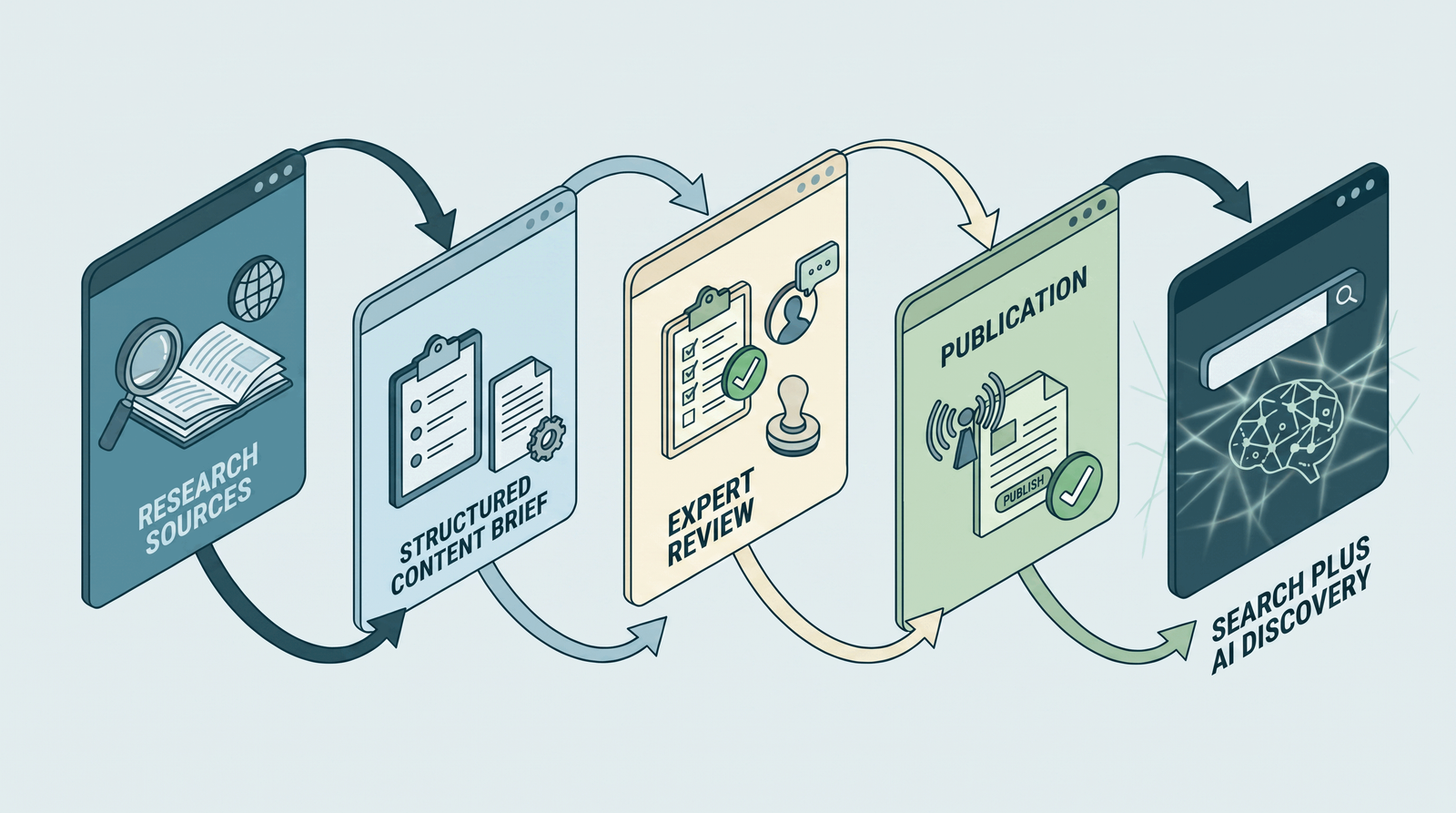
What needs to change?
For a operations manager / marketing lead, the immediate need is to identify repeatable google workspace tasks that a firm can simplify. The immediate questions are practical: Which routine office tasks are good Google Workspace candidates? and How do Google Forms and Sheets collect and organize submissions? The process can be assessed by examining public form purpose, notification trigger and reviewer and backup. Avoid buying or connecting another tool while the owner, inputs and escalation route are still unclear.
The research below separates tasks that can be standardized from decisions requiring professional review. It also distinguishes statements supported by official documentation from workflow recommendations that should be tested in the firm’s own environment.
What the improved workflow should do
Today: Public form purpose and Response sheet access may be discussed without a consistent record. A better working state: the team agrees what to check for notification trigger, who controls script/add-on permissions, and how to handle failed-run audit. These are possible operating improvements, not promised client, search or efficiency results.
What the review or practical guide includes
Focus: Identify repeatable Google Workspace tasks that a firm can simplify.
An appropriate scope could begin with a review of public form purpose, a comparison of response sheet access and notification trigger, and a supervised test of reviewer and backup. A practical handover would explain how the team records failed-run audit. Any integration, training or ongoing operation must be separately specified and approved.
Practical working tool: Google Forms to Sheets to team notification process example with approval and test cases.
Additional decision tool: Original decision scenario showing normal, exception, human-review and failure-recovery branches.
Discuss a practical next step for your firm
Use your current workflow, existing software and the people who approve the work to identify an appropriate next step.
Discuss a Simple Workflow PilotApproach and suitability
Begin with the specific reader question: Which built-in add-ons, Apps Script or automation options exist?. Next, document the existing tools, owner and approved information. Use the google forms–sheets review workflow to separate an administrative improvement from an action that needs legal or privacy review. A firm may need only a checklist, or it may need a configured, supervised workflow; the evidence should determine which.
What the recommendations are based on
This page relies on the site's approved author profile and on relevant official documentation. It does not claim a new endorsement, certification, software partnership, named client achievement or measured improvement. Vendor descriptions are evidence of what a product advertises or documents—not proof that a feature is available in a particular firm’s account. Applicable legal duties and professional-conduct rules vary by jurisdiction.
How the engagement would work
Discover: record public form purpose in the current process. Plan: agree a safe approach to notification trigger. Test: use a fictional normal case and one exception involving script/add-on permissions. Review: check failed-run audit and decide what the firm should maintain or change. This is an illustrative discussion structure, not a fixed delivery commitment.
Who this is for — and what it does not replace
This page suits a operations manager / marketing lead who can inspect response sheet access and appoint an owner for reviewer and backup. It does not substitute for a firm-specific legal opinion, professional decision, vendor entitlement review or client confidentiality assessment. If the relevant records or responsible reviewer are unavailable, begin with the assessment rather than enabling a live system.
A useful next step
Bring an anonymized example and a list of the tools already used to address identify repeatable google workspace tasks that a firm can simplify. A consultation can identify one sensible next check and the evidence needed before a pilot. Reading this page does not authorize access to or changes in your systems.
Technology and Legal Practice: An Overview
This overview provides general context. The evidence-linked guide below addresses the specific marketing use case and its limits.
Research and implementation guide
Direct answer. To identify repeatable google workspace tasks that a firm can simplify, start with a defined problem, a trustworthy current-state record and a named reviewer. Compare the operational options using the specific questions below, test exceptional cases before enabling live actions and record limitations. For law firms, confidentiality, accurate public claims and human professional judgment are baseline controls. There is no universal platform or guarantee of improved results.
Which routine office tasks are good Google Workspace candidates?
Page-specific operating recommendation. Select a routine, non-sensitive operation such as an internal event sign-up, a public webinar request or a marketing content approval. Avoid starting with privileged case facts or automated legal intake.
What to capture. For public form purpose, capture a sample of the work as it really happens and name the person responsible. Record how this connects to response sheet access before attempting to simplify it. The objective is not to count tasks indiscriminately; it is to identify the step connected to identify repeatable google workspace tasks that a firm can simplify. One practice team may have a different starting point from another, so the initial record must show the actual local process.
How do Google Forms and Sheets collect and organize submissions?
Google Forms can collect responses and Sheets can organize them, subject to sharing and access settings. Map each field to an intended row and decide who receives an edit notification or review task.
How to compare the evidence. When considering response sheet access, apply a consistent definition and preserve the original source record. Compare it with notification trigger, marking absent or uncertain facts as unresolved. A dated source matters here. Product descriptions, staff recollections and automated logs answer different questions, and they should not be merged into a single unqualified conclusion. Write down what each observation can and cannot prove.
Which built-in add-ons, Apps Script or automation options exist?
Use built-in features or authorized Apps Script and add-ons only where justified. Scripts and connectors may request broad access, so administrators should check the scopes and publisher trust before enabling them.
Where risks change the decision. The key risk concerns notification trigger. Note the circumstances in which a seemingly successful step introduces a different error, and identify the person allowed to stop the process. A tool that produces a plausible output may still have used the wrong record, outdated rule or impermissible input. The relevant exception must be handled by the firm, rather than suppressed merely because the normal pathway operates.
What permissions and client-data rules must be checked?
Protect response data with restricted spreadsheet access and a documented retention period. A public form link does not imply that its linked spreadsheet should be viewable by everyone on the team.
Where people must remain responsible. For script/add-on permissions, specify the reviewer, backup, and exact stopping point. Staff need to inspect the original information and be able to reject an automated suggestion. The firm should make a clear distinction between preparing a draft and taking an external action. A reviewer needs to see the relevant original material, be able to correct the draft and have an unambiguous stop instruction.
How should an email or team task be created and reviewed?
Test an ordinary submission, incomplete form, duplicate event, user removal and permission denial. A failed email notice should create a visible recovery task rather than silently dropping the request.
How to trial it safely. Test reviewer and backup with approved or invented inputs. Check ordinary and exceptional outcomes while making sure no real client receives an unapproved communication or decision. When the normal test passes, repeat it with incomplete details, duplicate records or a reviewer who cannot be reached. Inability to recover from these common conditions is a reason to keep the workflow supervised.
What does a repeatable test and change record look like?
Maintain a simple change log showing form edits, script versions, recipients and test outcomes. Review it when staff, domains, policies or source fields change.
How to learn from the result. To assess failed-run audit, keep a baseline and a log of mistakes, manual corrections and actions taken. Recheck the assessment after personnel, tool or rules change. Results should be interpreted against changes in staffing, case mix, tool configuration and visitor behavior. One good week or one improved answer is not sufficient evidence that the same result will continue.
Practical decision instrument: Google Forms–Sheets review workflow
This original google forms–sheets review workflow makes the review observable. Fill in the information for public form purpose, response sheet access and notification trigger using approved records. Mark missing evidence explicitly; never let a tool infer a confidential or professional fact from an unrelated field.
| Decision field | Evidence to enter | Human review or control |
|---|---|---|
| Public form purpose | What actually happens now? | Name the accountable owner |
| Response sheet access | Where does the information come from? | Preserve original evidence and date |
| Notification trigger | Who can access or correct this? | Check permission and confidentiality |
| Script/add-on permissions | What exception stops the process? | Test an unsafe or incomplete case |
| Reviewer and backup | Who decides the final action? | Require approval for consequential actions |
| Failed-run audit | What evidence confirms completion? | Retain a trace and recovery option |
Illustrative fictional scenario. An approved webinar RSVP creates a Sheet row and sends a notification to a communications coordinator. If the coordinator loses access, the automation should create a visible exception rather than silently failing.
How to use the result. Test how script/add-on permissions behaves when a record is incomplete, when the reviewer is absent and when the tool returns an unexpected response. Record failed-run audit for both the normal and exception cases. The firm can then decide whether a manual instruction, controlled checklist or supervised pilot is justified. This is not a certified compliance score or vendor-endorsed method.
Page-specific review questions. For this google forms–sheets review workflow, ask how the firm verifies public form purpose, what source controls notification trigger, and who signs off failed-run audit. Record one unresolved question before any wider deployment.
How to decide what happens next
Keep the present method when the evidence is incomplete. If the team has not established public form purpose and response sheet access, a new connection or AI prompt may conceal the real problem rather than solve it. Record a sample of actual work, confirm who owns it and clarify the decision before selecting software. Continuing with a clearly documented manual step can be safer than automating an uncertain process.
Standardize the step when the rule is already clear. When the desired action is repeatable, test whether a short checklist, approved message, controlled data field or ordinary task assignment is sufficient. Give the reviewer a sample showing notification trigger and script/add-on permissions. If the process still needs a judgment about a person's legal position, an advertising claim or sensitive information, keep that judgment with the qualified person.
Use a supervised pilot when a genuine gap remains. Choose one narrow example, specify permitted inputs, designate a backup reviewer and record failure handling for reviewer and backup. The trial must test a normal outcome and an exception, then compare both with the original record. It is reasonable to stop the pilot if the data cannot be verified, a required permission is absent or reviewers cannot explain the tool's action.
Document the recommendation. Write down whether the decision is manual, standardized or supervised; what evidence supports it; who approves it; what remains unknown; and how failed-run audit will be checked. Reopen the decision if a vendor, office, law or staffing arrangement changes. This is an implementation planning method, not a claim that any particular product will deliver the desired outcome.
Primary sources and verification notes
The following links support the general product or professional context; page-level implementation recommendations above are editorial methods, not vendor-endorsed procedures.
- Google Workspace — How to use Google Forms (source/date: reviewed 2026-11-17; boundary: Forms-to-Sheets workflow; permissions and data protection matter).
- Google Workspace — Apps Script and add-ons for Google Docs Editors (source/date: reviewed 2026-11-17; boundary: Integration methods may require explicit authorizations).
- Google Workspace — Generative AI in Google Workspace Privacy Hub (source/date: 2026-10-06; boundary: Account edition/organization controls affect access).
Related existing pages
Make the next step specific to your firm
Bring a non-confidential example of the problem and a list of your existing tools. Discuss a practical assessment, review or supervised trial before changing client-facing processes.
Simplify My Workspace Process